
Step-by-Step Guide: How to Withdraw Money from Deriv Trading Account Using DP2P
March 15, 2026 · Lazarus Marwisa
When withdrawing money from your trading account, most traders look for three things: speed, simplicity, and low costs.
The good news is that the Deriv Peer to Peer (DP2P) platform allows traders to withdraw funds instantly with zero commission and no transaction fees by connecting buyers and sellers directly.
In this guide, you’ll learn how to withdraw money from your Deriv account using DP2P in just a few simple steps.
WATCH:@laxiezw How to withdraw your trading profits from your trading account on Deriv using DP2P (Deriv Peer to Peer) #deriv #withdraw #dp2p #trading #profits ♬ Soft Sunlight (Lofi) – Prodbyecho
What is Deriv P2P (DP2P)?
Deriv Peer to Peer (DP2P) is a marketplace where traders can buy and sell trading funds directly with other users using local payment methods such as bank transfer, mobile money, or other supported options.
This system makes withdrawals faster, cheaper, and more accessible, especially in countries where traditional payment methods may be limited.
1. Download the Deriv P2P App
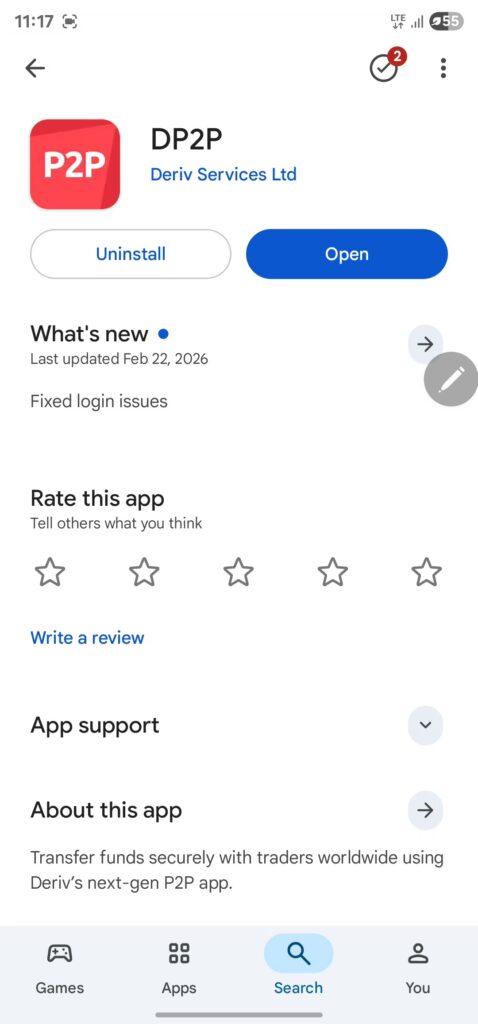
First, install the Deriv Peer to Peer app on your mobile device.
Download it here:
After installing the app, open it and log in using your Deriv account details.
2. Create a Sell Ad (Withdrawal Order)
To withdraw funds, you need to create a sell advertisement on the DP2P marketplace.
If you don’t yet have a Deriv account, create one [here] and receive a $10,000 demo account to practice trading.
Follow these steps:
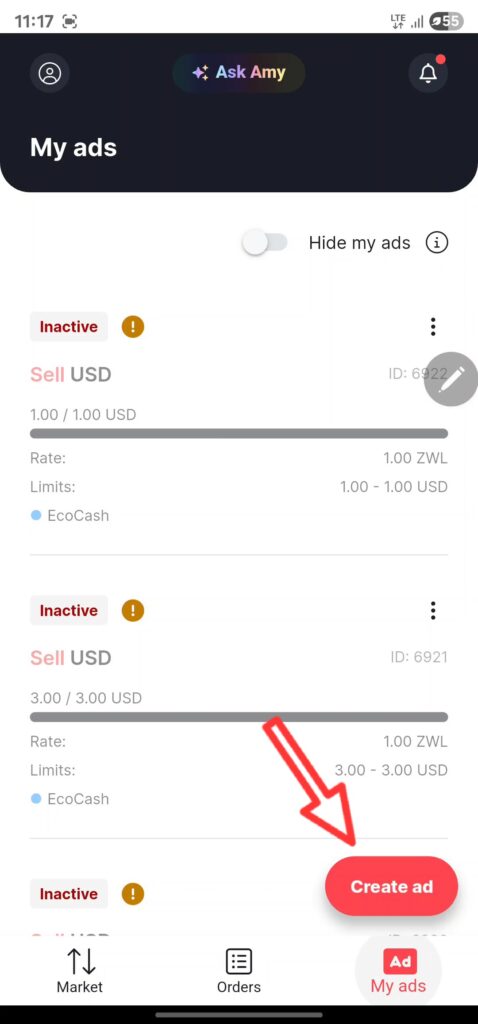
- Tap “My Ads” located at the bottom left of the app.
- Click “Create Ad.”
3. Set Your Rate and Withdrawal Amount
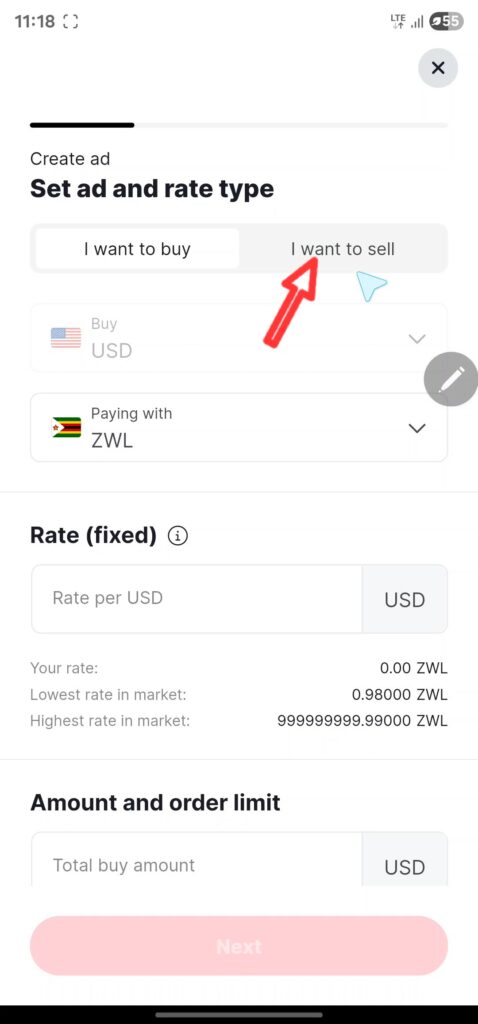
Next, configure the details of your withdrawal:
- Select “I want to sell.”
- Choose the currency you want to receive.
- Enter your preferred exchange rate.
- Enter the total amount you want to withdraw.
- Set the minimum and maximum order limits.
- Tap “Next.”
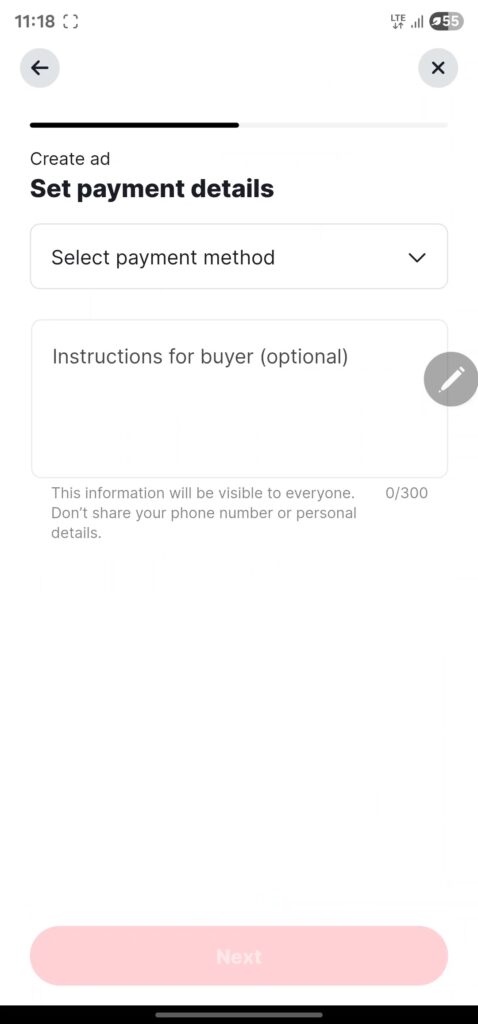
4. Set Your Payment Details
Now select how the buyer will pay you.
- Choose your preferred payment method (bank transfer, mobile money, etc.).
- Add payment instructions for the buyer (optional).
Example: “Call before making payment.” - Tap “Next.”
5. Set Your Ad Conditions
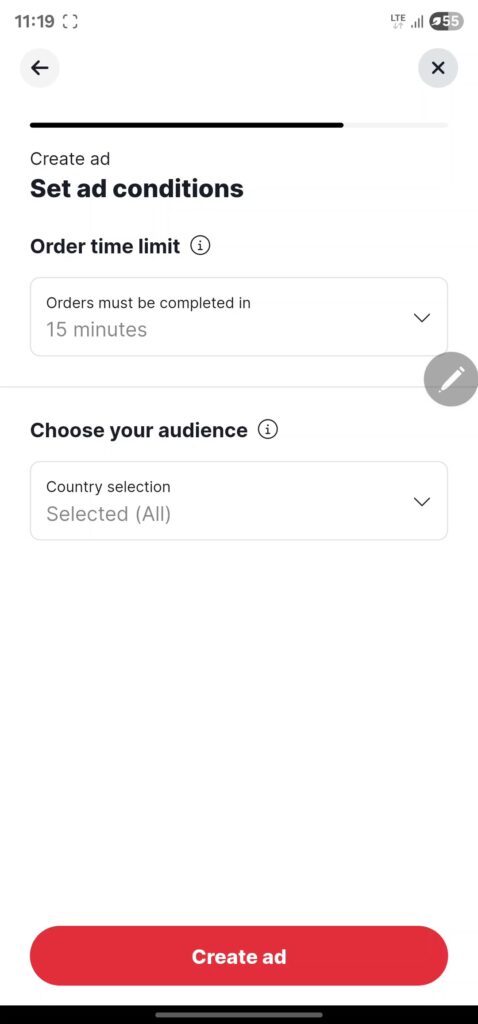
Finally, configure the order conditions.
- Select the order time limit (15, 30, or 60 minutes).
This determines how long the buyer has to complete the transaction. - Choose your target audience (for example Zimbabwe, Zambia, Kenya).
Your advertisement will only be visible to traders in the countries you select.
Tap “Create Ad.”
6. Your Withdrawal Order is Now Live
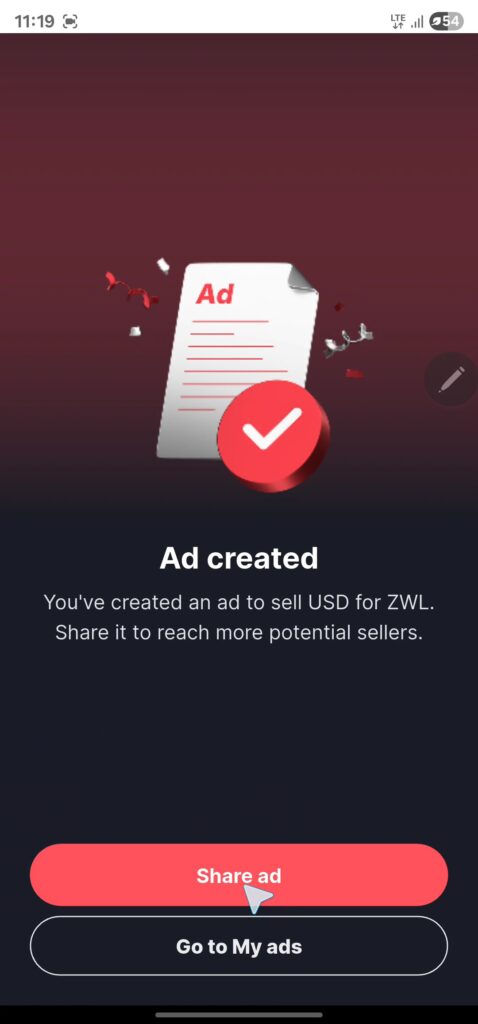
Your sell advertisement has now been published on the Deriv P2P marketplace.
You can either:
- Share your ad with friends, or
- Wait for a buyer to pick your order from the marketplace.
Once a buyer accepts your order, you will receive a notification to confirm payment and complete your withdrawal.
Final Thoughts
Using Deriv P2P is one of the fastest and cheapest ways to withdraw money from your Deriv trading account, especially for traders in regions where traditional payment options are limited.
With zero fees, instant transfers, and local payment methods, DP2P makes managing your trading funds easier than ever.
Deriv offers complex products, including Options and CFDs, which carry significant risk. Trading involves risk and is not suitable for everyone; this post contains an affiliate link, and we may earn a commission at no extra cost to you if you sign up through it.