
BTMM Settings for Mobile
Below are BTMM settings for mobile phone. We’ll start with the main screen indicators: 800EMA (purple), 200EMA (gray), 50EMA (sky blue), 13EMA (red), and 5EMA (yellow). Then we’ll move on to the TDI setup.
Main Indicators for BTMM
The steps for adding each moving average are identical. Only the Period and Style color change each time. Follow the walkthrough below once, then repeat it for all five EMAs using the Period and Color values in the reference table underneath.
How to Add a Moving Average (Step by Step)
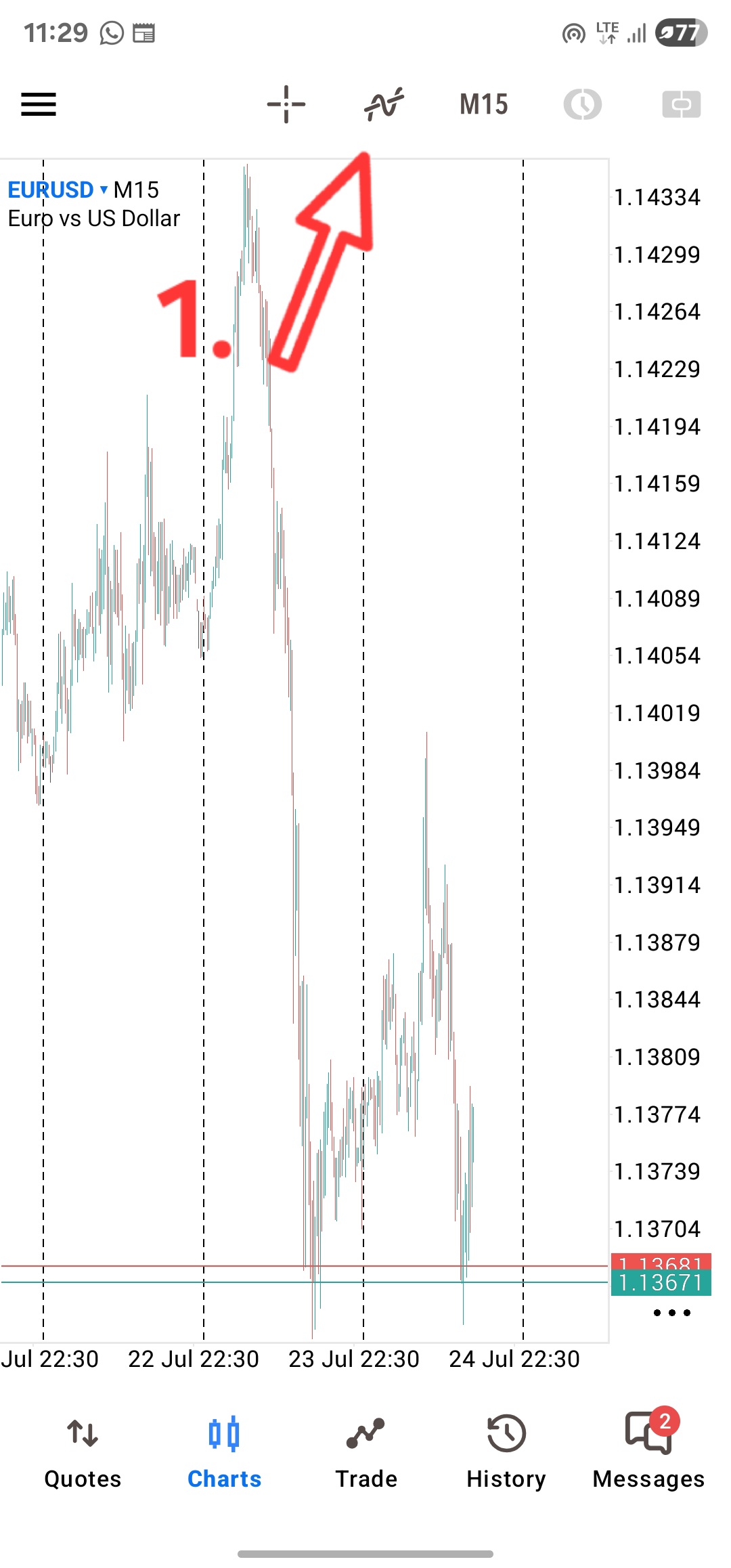
- Open your chart and tap the menu icon at the top to bring up the chart’s indicator panel.
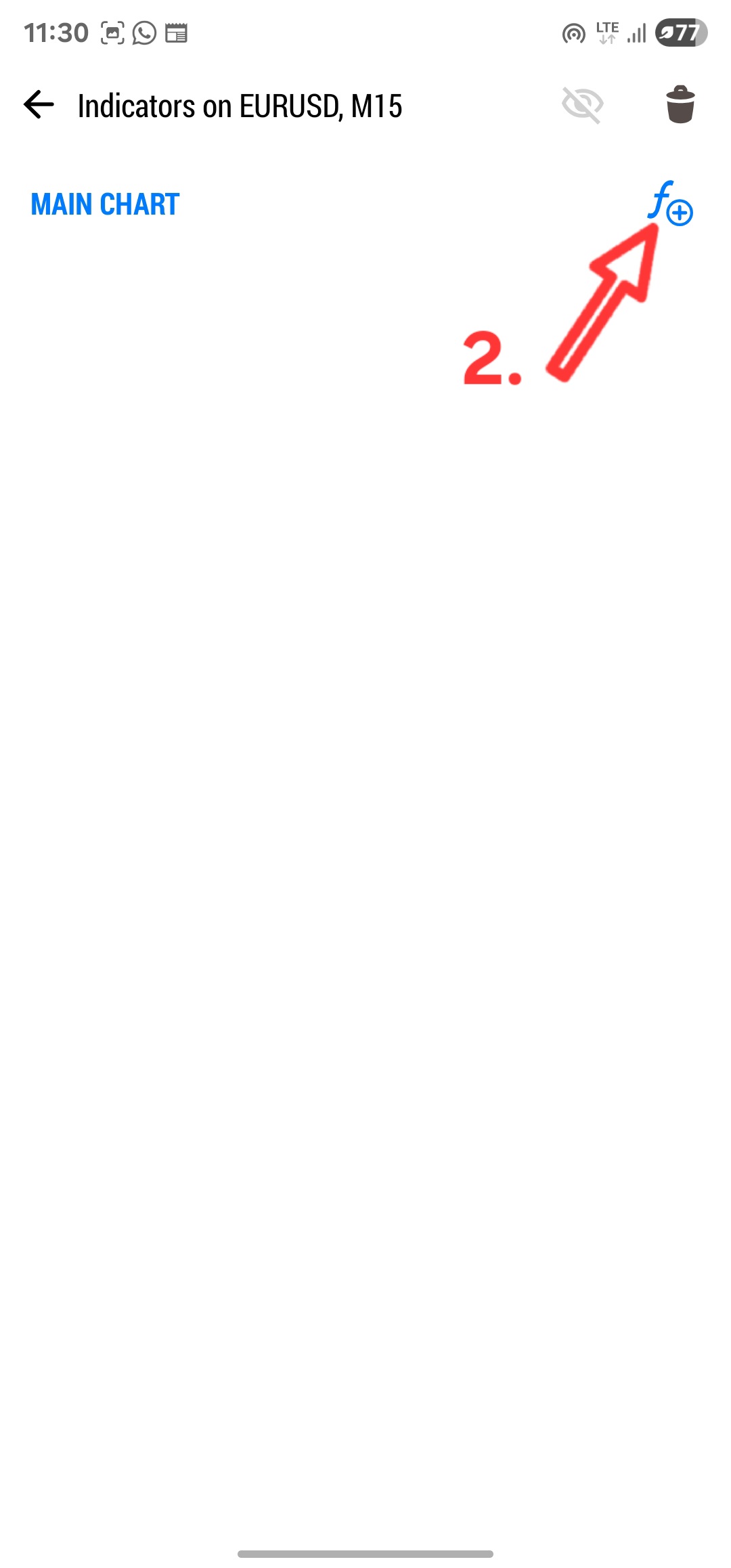
- Under “Main Chart”, tap the f+ icon to add a new indicator.
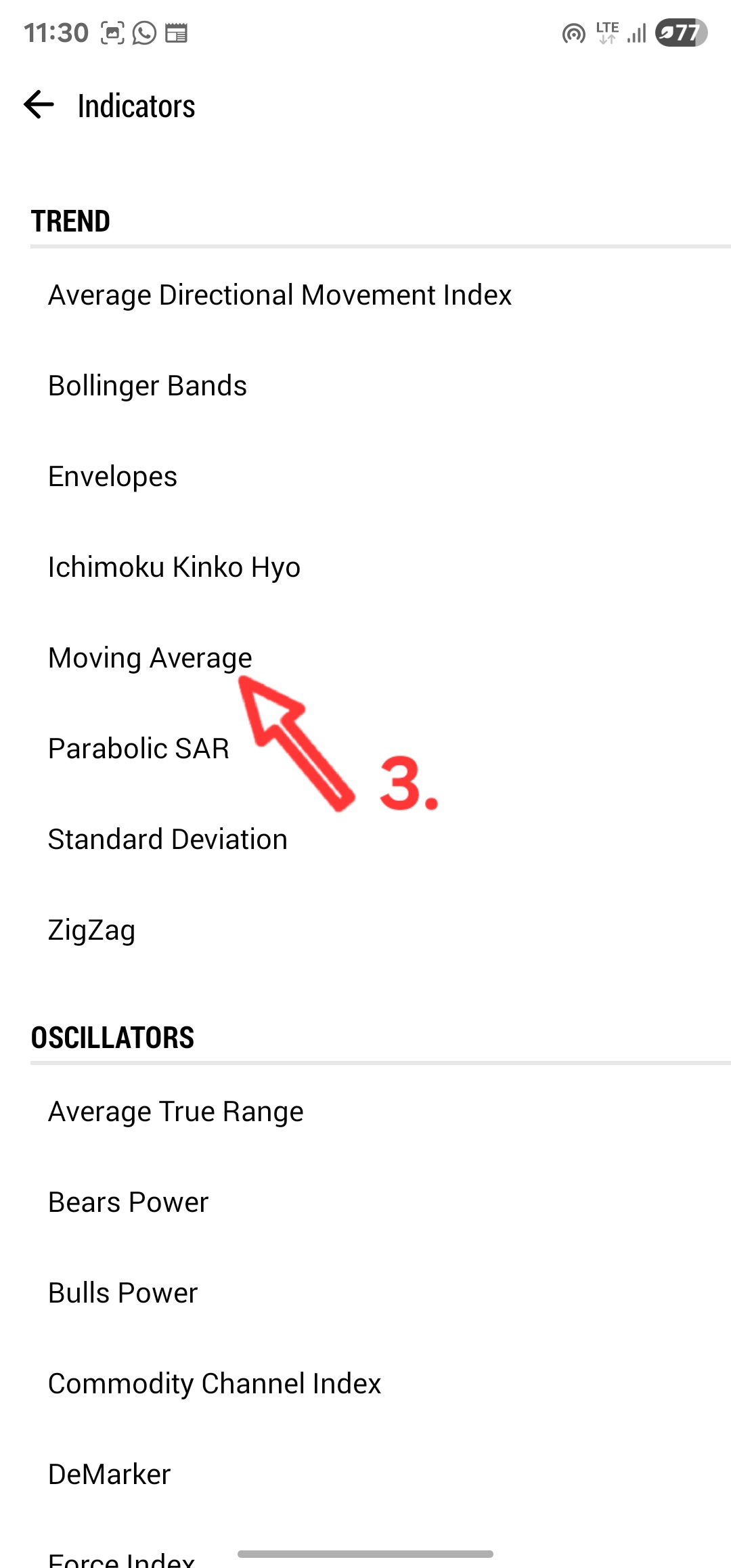
- From the Trend list, select “Moving Average”.
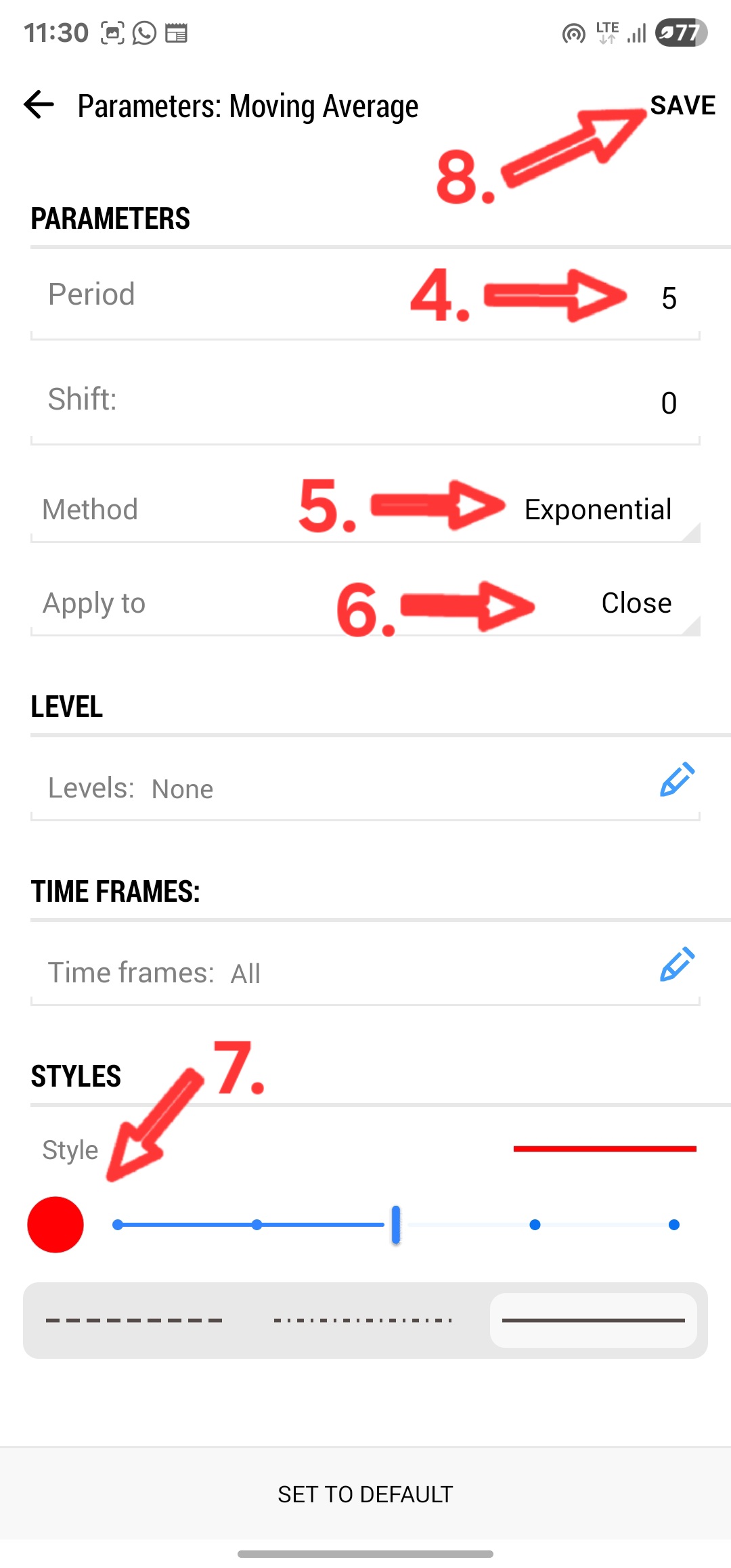
- Set the Period to the value listed in the table below.
- Set Method to “Exponential”.
- Set Apply to to “Close”.
- Under Styles, choose the color listed in the table below.
- Tap Save.
EMA Reference Table
| EMA | Period | Method | Apply to | Color |
|---|---|---|---|---|
| 800 EMA | 800 | Exponential | Close | Purple |
| 200 EMA | 200 | Exponential | Close | Gray* |
| 50 EMA | 50 | Exponential | Close | Sky Blue |
| 13 EMA | 13 | Exponential | Close | Red |
| 5 EMA | 5 | Exponential | Close | Yellow |
*Note: depending on your chart’s background, gray can be hard to see, so feel free to swap it for white or black instead, whichever shows up more clearly against your background.
Repeat the 8 steps above five times, once for each row in the table, and you’ll have the full BTMM main chart setup.
TDI Settings for Mobile
The Traders Dynamic Index (TDI) isn’t built into most mobile trading apps by default, so here’s a complete step by step guide to recreating the full TDI (with Volatility Bands and a Market Base Line) on your mobile, tablet, or any platform that doesn’t have it natively. Read it directly below, or download your own copy to keep.
This page and the attached guide contain affiliate links. If you open a Deriv or Weltrade account through them, BLVCKLISTED FX may earn a commission at no extra cost to you.