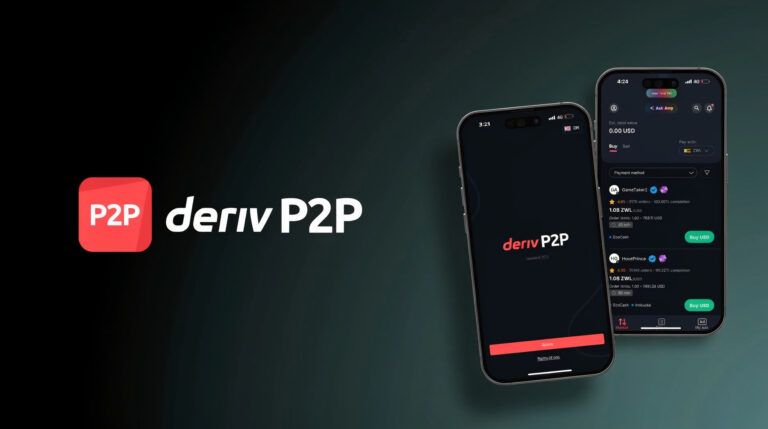
Step-by-Step Guide: How to Withdraw Money from Deriv Trading Account Using DP2P

When withdrawing money from your trading account, most traders look for three things: speed, simplicity, and low costs.

The good news is that the Deriv Peer-to-Peer (DP2P) platform allows traders to withdraw funds instantly with zero commission and no transaction fees by connecting buyers and sellers directly.

In this guide, you’ll learn how to withdraw money from your Deriv account using DP2P in just a few simple steps.

WATCH:
@laxiezw How to withdraw your trading profits from your trading account on Deriv using DP2P (Deriv Peer to Peer) #deriv #withdraw #dp2p #trading #profits ♬ Soft Sunlight (Lofi) – Prodbyecho

What is Deriv P2P (DP2P)?

Deriv Peer-to-Peer (DP2P) is a marketplace where traders can buy and sell trading funds directly with other users using local payment methods such as bank transfer, mobile money, or other supported options.

This system makes withdrawals faster, cheaper, and more accessible, especially in countries where traditional payment methods may be limited.


Step-by-Step Guide to Withdraw from Deriv Using DP2P

1. Download the Deriv P2P App

First, install the Deriv Peer-to-Peer app on your mobile device.

Download it here:

After installing the app, open it and log in using your Deriv account details.


2. Create a Sell Ad (Withdrawal Order)

To withdraw funds, you need to create a sell advertisement on the DP2P marketplace.

If you don’t yet have a Deriv account, create one [here] and receive a $10,000 demo account to practice trading.

Follow these steps:

  • Tap “My Ads” located at the bottom left of the app.
  • Click “Create Ad.”

3. Set Your Rate and Withdrawal Amount

Next, configure the details of your withdrawal:

  • Select “I want to sell.”
  • Choose the currency you want to receive.
  • Enter your preferred exchange rate.
  • Enter the total amount you want to withdraw.
  • Set the minimum and maximum order limits.
  • Tap “Next.”

4. Set Your Payment Details

Now select how the buyer will pay you.

  • Choose your preferred payment method (bank transfer, mobile money, etc.).
  • Add payment instructions for the buyer (optional).
    Example: “Call before making payment.”
  • Tap “Next.”

5. Set Your Ad Conditions

Finally, configure the order conditions.

  • Select the order time limit (15, 30, or 60 minutes).
    This determines how long the buyer has to complete the transaction.
  • Choose your target audience (for example Zimbabwe, Zambia, Kenya).

Your advertisement will only be visible to traders in the countries you select.

Tap “Create Ad.”


6. Your Withdrawal Order is Now Live

Your sell advertisement has now been published on the Deriv P2P marketplace.

You can either:

  • Share your ad with friends, or
  • Wait for a buyer to pick your order from the marketplace.

Once a buyer accepts your order, you will receive a notification to confirm payment and complete your withdrawal.


Final Thoughts

Using Deriv P2P is one of the fastest and cheapest ways to withdraw money from your Deriv trading account, especially for traders in regions where traditional payment options are limited.

With zero fees, instant transfers, and local payment methods, DP2P makes managing your trading funds easier than ever.

How to Open a Forex Trading Account in 2026 [EASY GUIDE]

If you’ve ever tried to open a Forex trading account only to be confused by broker selection, regulation checks, and platform choices, you’re not alone. The process can be a minefield of over-information. But what if we told you it’s actually simpler than signing up for a new social media account? We’ve created the definitive, no-fluff roadmap. By following these 5 incredibly easy steps, you will bypass common pitfalls and confidently select, verify, and fund your first Forex trading account in 2025.

In this guide, I’ll walk you through how to open a forex trading account and get you started with a $10,000 demo account. By the end, you’ll be ready to start trading confidently.

Which Trading Broker is Suitable for a Beginner?

Before we dive into the actual forex trading account signup process, here’s why thousands of traders choose Deriv as a forex trading broker of choice:

  • Wide range of markets – Forex, Options, Synthetic Indices, Stocks, Crypto, and Commodities.
  • Multiple platforms – DTrader, DBot, SmartTrader, Deriv Ctrader and Deriv MT5.
  • Low minimum deposit – Start with as little as $5 depending on your deposit method.
  • Flexible payment options – From e-wallets, bank cards, peer-to-peer to local payment agents.
  • Regulated broker – Deriv is licensed in multiple jurisdictions, ensuring safety.

Step 1: Go to the Signup Page

To get started, head over to the official Deriv signup page.

Here, you’ll see a simple form asking for your email address.

  1. Enter your email address.
  2. Accept the terms and conditions.
  3. Click on Create demo account.

Once you enter your email and click Create demo account, you will be prompted to check your email. Don’t forget to check your inbox (and spam folder).

Step 2: Confirm your email address

After you receive an email asking you to confirm your email address, open it and click on Verify my email

  • You’ll be asked to create a password for your new Deriv account. Enter a password that’s secure and strong. It should include:
  1. At least one uppercase letter and one lowercase letter
  2. At least one number
  3. 8-25 characters long

Step 3: Fill in your personal details

You will instantly get access to a demo account with $10,000 virtual funds, but you will still need to fill in a few details to finish setting up your Deriv demo account.

  • Click on Complete my profile and select your preferred Account currency

Fill in your full name, address, date of birth, place of birth (as it appears on your Identity documents) and other few information. This takes less than 2 minutes.

Step 4: Accept Terms of Use

You’re almost done with setting up your new trading account. Carefully read and understand Deriv’s terms of use and accept them.

deriv terms of use

DISCLAIMER: Deriv offers complex products, including Options and CFDs, which carry significant risks. Trading CFDs involves leverage, which can amplify both profits and losses, potentially leading to the loss of your entire investment. Trade only with money you can afford to lose and never borrow to trade. Understand the risks before trading.

Step 5: Your Trading Account is Set

Congrats! You have successfully created your first demo trading account. You will be taken to your trading hub where you can manage all your trading accounts, be it demo or real.

You can start trading on:

  • DTrader – Easy-to-use, web-based platform.
  • Deriv MT5 (DMT5) – For beginner and advanced forex and Synthetic Indices traders.
  • DBot – Automated trading with zero coding.
  • Deriv CTrader – Copy strategies from other experienced traders.
  • Deriv X – Deriv’s all-in-one trading platform

…and many more

👉 If you’re serious about trading, I recommend starting with a demo, then moving to a real account once you’re confident.

How to deposit into your trading account

To deposit, you first have to verify your trading account. Verifying your trading account with Deriv takes only 2 minutes.

Deriv supports various deposit methods including:

  • Local payment agents (popular in Africa & Asia).
  • E-wallets like Skrill, Neteller, Perfect Money.
  • Crypto deposits (BTC, ETH, USDT, etc.).
  • Debit/credit cards.
  • Peer-to-peer transfers

Minimum deposit is $1 depending on the payment method you use. Choose the method that’s easiest for you. Most deposits reflect instantly.

Click here to create your Deriv account today and start trading 🚀

Trade 728x90Rx?ca=web1&strategy Node Id=26893&slink Id=785&is Ib=0&type=view&media=banner